Skip to product information
1 of 3

LOLED Virtual

Screenforce Volume Control System

Screenforce Volume Control System

Regular price $49.99 USD
Regular price Sale price $49.99 USD
Sale Sold out

Take control of your render cluster with Screenforce. Designed specifically for virtual production stages, Screenforce gives operators one place to discover render nodes, remotely launch applications, run scripts, apply NVIDIA Sync settings, and more! 

  • Control individual render nodes or an entire cluster
  • Automatically discover receivers on the production network
  • Remotely launch programs, Python scripts, and utility commands
  • Build repeatable multi-step action chains
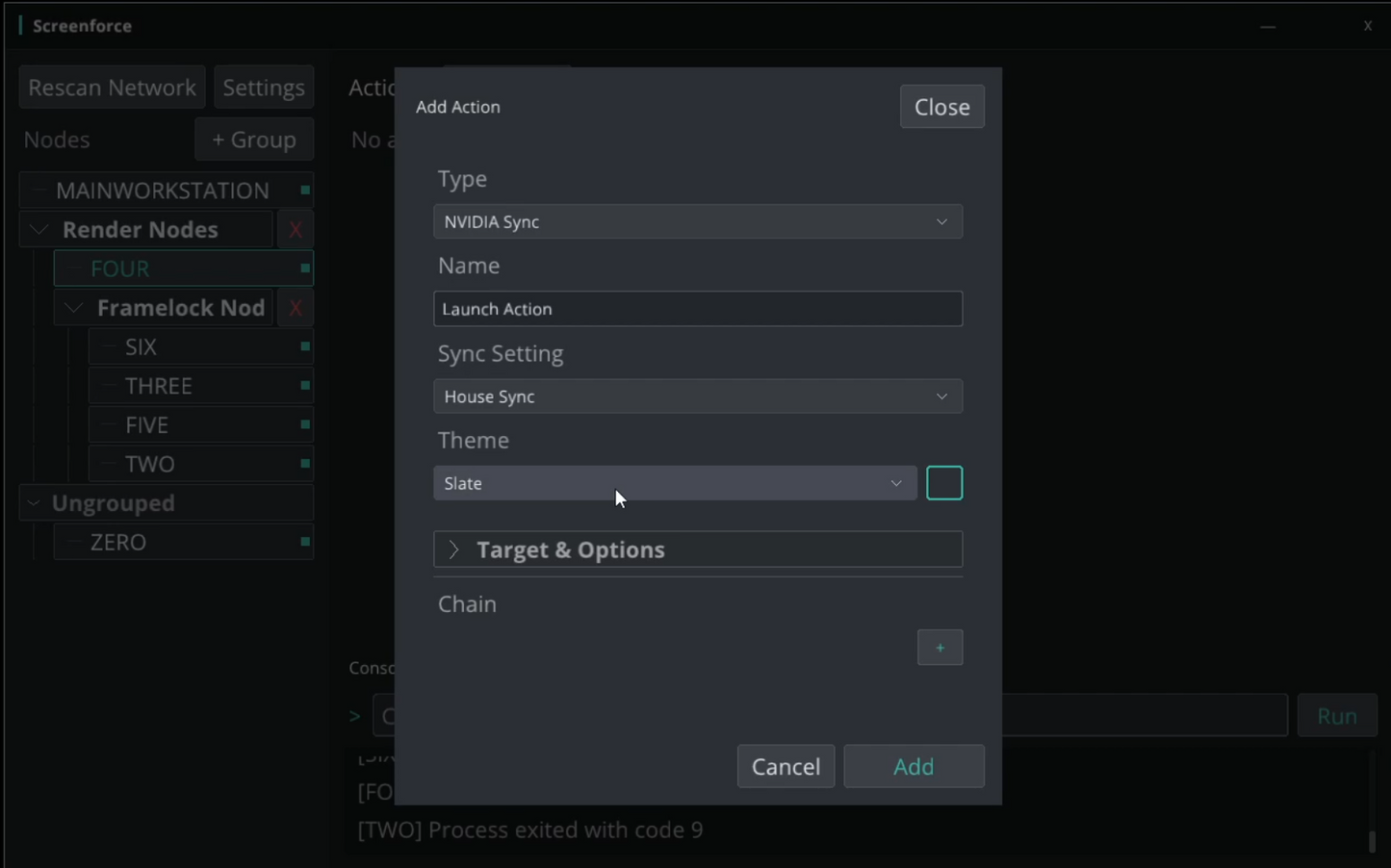
  • Remotely start and stop applications and apply NVIDIA House Sync and Framelock settings
  • Trigger Screenforce actions from external OSC systems like a Streamdeck
  • View command output and connection feedback in one console
  • Organize nodes into nested stage and wall groups
  • Password-authenticated commands for enrolled nodes

More Info and Documentation

View full details

Turn Procedures into Cues

Screenforce gives virtual production operators a single control surface for the machines behind the cluster. Discover nodes automatically, create logical groups, and turn complex launch procedures into simple, repeatable actions.

Actions are represented as clear GUI cards that show their status. Action chains allow actions to be executed in specific sequences, combining local controller actions, individual nodes, and render groups in one operator-friendly cue.

Built for the way volumes stages work

Screenforce was developed as an in-house tool to manage our own stage, and has proven its reliability and convenience on many real world projects.

Screenforce can remotely set nVidia house/framelock Sync settings, allowing volumes to be quickly re-sync'd with the push of a button!

Screenforce is intentionally a control tool, not another overloaded monitoring dashboard. Use it alongside your existing render-health, cluster, GPU, and sync-verification tools.

Show-Control Ready with OSC

Every saved action receives its own OSC address. Connect Screenforce to an show-control system, streamdeck, or custom automation tool and trigger the sameactions used in the controller.

OSC mappings remain stable when an action is edited, making it easy to build Screenforce into an established stage-control workflow.

System requirements

  • Windows controller workstation
  • Windows render nodes
  • Screenforce Receiver installed on each remotely controlled nods
  • IPv4 network connectivity between controller and receivers
  • Windows Firewall rules for the configured Screenforce ports
  • Python installed or configured for Python actions
  • Supported NVIDIA hardware for sync actions
  • Administrator privileges when required by the launched application or NVIDIA Sync Utility